
Data Leak Protection (DLP)
is the name of several policies in Office 365, setting up what data can, and can’t be, shared and with whom.
Imagine being able to automatically identify private information like passport numbers, Health IDs or bank account details and make sure that those are only being shared with people that are authorised to see them.
The good news is that you can do this with 365, provided you turn on the policies and set them up correctly, and monitor when data is shared.
Under the NZ Privacy Act, we’re all expected to take care of personal data entrusted to us and to make sure it’s only used for the purpose for which is being obtained.
With Office 365, there’s no excuse for that to be breached provided that we understand what data should be kept, what might be kept incorrectly, and how its being shared. With this we can set up rules to monitor your Office 365 system and report on how records are shared.
We include a basic set up of DLP in our KARE for Security S2 plan to get you started.

The Secrets of Successful LawFirm Practice Management selection and implementation (based on a few years of experience)
Navigating the Complexities of Law Firm Practice Management Software In the dynamic world of legal practice, the right Practice Management and Document Management solutions are not just a necessity—they are the backbone of a successful law firm. When you firm outgrows...
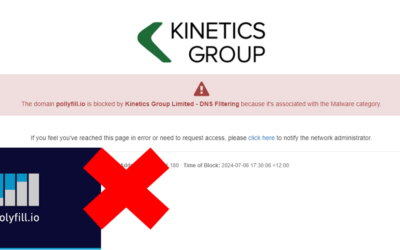
When not being able to access a website is a good thing.
We know it can be incredibly frustrating when you can’t access a website that you need. That happened for a number of a number of our clients last week, (and, counter-intuitively, it’s a good thing) Many websites are built on common components. One of those is...

When good updates go bad (resulting in Windows 11 Endless Reboots)
Navigating the Challenges of KB5039302: A Guide to Recovery. In the ever-evolving landscape of technology, updates are a constant. They bring improvements, new features, and security patches. However, occasionally, an update may not go as planned, leading to...

TeamViewer Compromise
TeamViewer is a common piece for software that allows IT businesses to remotely access, control, manage, monitor, and repair devices – from laptops and mobile phones to industrial machines and robots. Many software vendors include it to allow them to remotely support...

Lawfirm moves into the cloud with Azure Virtual Desktop
Kinetics moves McElroys into the cloud with Azure Virtual Desktop. With ageing server infrastructure supporting its practice management software coming up for a refresh, law firm McElroys checked in with its managed services provider Kinetics for guidance on the...

What should you know about Microsoft AVD?
Why is "Azure Virtual Desktop" (AVD) important?In today's fast-paced world, the ability to work remotely is not just a convenience; it's a necessity.That's where Azure Virtual Desktop (AVD) comes into play, offering a seamless transition from traditional Remote Access...

Cert NZ Business online security assessment tool
A Personal Encounter with Cert NZ's Assessment Tool. Have you recently received an email about cyber-security that set off your system's alarms? It's ironic isn't it? That was my recent experience with an email from Cert NZ. Despite the initial warning, the email...
3 Easy Tips for Excel
Here are 3 essential tips for Excel users starting from beginner users through to advanced users.For Beginners: Excel Quick Access ToolbarThe Quick Access Toolbar is in the top right of every Office app. Ensure the commands you use most frequently or those that are...
Eliminate embarrassing screen pop-ups during video calls and Teams meetings
Say goodbye to annoying email alerts, video call pop-ups and Teams meeting interruptions. Imagine if you were on an important video call with a client, confidently presenting your latest proposal, or project update. Suddenly, a notification pops up on your screen...

Avoid the IT Travel Woes
Free Webinar Replay : Avoid the IT Travel WoesBusiness travel is fraught enough. It's a nightmare to balance tight connections, and tough time zones with work colleagues that are accustomed to being able to link you into Teams meetings and urgent chats.How can you...