
Password Vaults and You
With more and more websites necessary for our everyday activities, it’s getting harder and harder to manage passwords. By now, you will know not to write passwords on post-it notes and paste them on your screen. It’s not uncommon for most people to use the same username and password on a number of sites, particularly on sites we think are less important – for example, hotel websites or some news sites. However, this is a dangerous game to be playing with your information and cyber security.
The problem is that when (not if) your information gets breached, your username and password get into the hands of bad actors who poke and prod other sites on the internet, and test where else you may have used one of these passwords, or a simple variation.
Of course, this is a cyber security challenge. We cannot easily remember hundreds of passwords, especially complex ones. We need an easy way, and we have a solution. A password vault.
But then the question you will ask is, “what happens if the vault is breached?” You need a super-secure vault. Something that easily remembers, (and creates) complex passwords for you and your colleagues – personal and work – and operates on Windows, Mac, and mobiles. It needs to be SOC2 certified so you know it’s secure.
What can a password vault offer you?

- No more remembering dozens of passwords
- Faster access to websites and applications
- Centralised system for both corporate and personal passwords
- Folders to organise and categorise credentials
- Automatic generation of audits and reports to help with tracking and compliance
- Improve the cyber security you provide your colleagues by promoting a password management system you trust
- Use strong password strings to thwart hackers
- Receive a notification of all the passwords of departing employees so clients can remove their access to company systems
- Give clients the tools to granularly grant employee access to employee systems and networks
- Meet compliance measures with comprehensive auditing and reporting capabilities
- Users can access their Site credentials quickly and easily through the native mobile apps on iOS and Android®, auto-fill to log in to websites, and apps on mobile devices
- Cross-browser extension for Google, Chrome, FireFox, Edge, and Chromium-based browsers
What’s your next step?
We’ve created a simple 9-point checklist to help you navigate the cyber-risk landscape and find the right digital security solution for you.
Kinetics can offer you a KARE Password Vault as part of KARE for Security S2 plan or you can subscribe to this standalone for $20 + GST per month for 5 users
Find out more about our Cyber Security Plans here



Does Generative AI Still Needs a Human Eye ?
It’s no secret that generative AI tools have become powerful assistants in modern work. From drafting emails and reports to generating insights and summarising complex documents, the productivity gains are real. But there’s a catch. A big one. Generative AI needs a...

July’s AI Headlines: Progress, Problems & Public Concerns
AI re-Investment causes job cuts at Microsoft: Microsoft has announced plans to reduce its workforce by up to 9,000 employees, representing approximately 4% of its global staff, as part of the latest round of job reductions this year. While the company has not...

5 Quick IT Wins That Cut Costs in 90 Days
5 Quick IT Wins That Cut Costs in 90 Days A survival guide for NZ professional services, charities & manufacturers under pressure.Cheaper Biscuits & No Colour Printing? Yep, times are tough. The NZ economy is putting pressure on every dollar. The lunchroom...
Webinar Replay – Securing the Mobile Frontier: Cybersecurity Essentials for Phones and Tablets for Modern Businesses
As mobile devices become the backbone of modern business operations, they also present a growing target for cyber threats. Apple or Android - they're both important. Every time you use these to access your Teams, Email or anything else, you are relying on them to be...

Can Copilot tame your Outlook Inbox?
Is your email inbox overflowing? You’re not alone. Managing a busy inbox can be time-consuming and draining. The average professional deals with around 100+ emails a day, and over half of those could be spam or trivial notifications2. Every new email interrupting your...

Meet our upgraded Remote Engineering Team
Listening to your feedback You've told us that we need to step up our initial call contacts. We understand. These days, responsive and efficient support is not just a value-add—it is a necessity. As organisations grow, so too does the complexity of their...
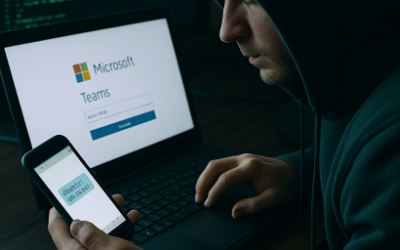
Device Code Phishing: A Dangerous New Scam You Need to Know About
Device code phishing is a sneaky new way hackers are stealing people's online accounts. In device code phishing, threat actors exploit the device code authentication flow to capture authentication tokens, which they then use to access target accounts, and further gain...
Microsoft News – What you need to know about Windows and Teams changes
Microsoft have announced some changes that will impact nearly everyone. Some of these remain fluid and we will update you as soon as we know more.Microsoft Teams Unbundling Update In response to a European Commission antitrust case initiated by Slack in 2020,...

June AI Digest
AI wants to stay 'on'. Hot on the heels of Anthropic's blackmail experiment, OpenAi had a similar problem. Researchers have observed that their newest model, o3, does not consistently follow commands, particularly in relation to shutting down. In a series of...

Did AI really try to blackmail its operator?
AI attempts blackmail to avoid being turned off. During pre-release testing in May 2025, Anthropic (maker of claude.ai) conducted extensive safety evaluations using controlled scenarios to test the model's behaviour under extreme conditions. The company embedded...