
Password Vaults and You
With more and more websites necessary for our everyday activities, it’s getting harder and harder to manage passwords. By now, you will know not to write passwords on post-it notes and paste them on your screen. It’s not uncommon for most people to use the same username and password on a number of sites, particularly on sites we think are less important – for example, hotel websites or some news sites. However, this is a dangerous game to be playing with your information and cyber security.
The problem is that when (not if) your information gets breached, your username and password get into the hands of bad actors who poke and prod other sites on the internet, and test where else you may have used one of these passwords, or a simple variation.
Of course, this is a cyber security challenge. We cannot easily remember hundreds of passwords, especially complex ones. We need an easy way, and we have a solution. A password vault.
But then the question you will ask is, “what happens if the vault is breached?” You need a super-secure vault. Something that easily remembers, (and creates) complex passwords for you and your colleagues – personal and work – and operates on Windows, Mac, and mobiles. It needs to be SOC2 certified so you know it’s secure.
What can a password vault offer you?

- No more remembering dozens of passwords
- Faster access to websites and applications
- Centralised system for both corporate and personal passwords
- Folders to organise and categorise credentials
- Automatic generation of audits and reports to help with tracking and compliance
- Improve the cyber security you provide your colleagues by promoting a password management system you trust
- Use strong password strings to thwart hackers
- Receive a notification of all the passwords of departing employees so clients can remove their access to company systems
- Give clients the tools to granularly grant employee access to employee systems and networks
- Meet compliance measures with comprehensive auditing and reporting capabilities
- Users can access their Site credentials quickly and easily through the native mobile apps on iOS and Android®, auto-fill to log in to websites, and apps on mobile devices
- Cross-browser extension for Google, Chrome, FireFox, Edge, and Chromium-based browsers
What’s your next step?
We’ve created a simple 9-point checklist to help you navigate the cyber-risk landscape and find the right digital security solution for you.
Kinetics can offer you a KARE Password Vault as part of KARE for Security S2 plan or you can subscribe to this standalone for $20 + GST per month for 5 users
Find out more about our Cyber Security Plans here



Will this really ‘break’ the internet?
[header2 text="What is news?" align="left" color="#336A40" margintop=""] There's nothing worse than accidentally clicking on a daft click-bait link that re-directs you to a dodgy, untrustworthy website. They are all too common, with news you can't trust, and...
What are @Mentions in Office?
How many times,. when you are working on documents with someone else, do you want to ask them a question? "Why did you add (or remove) this section?", "How does this calculation work?" and so on. So, you stop what you are doing, send them an email or make a phone...
Tech like it’s 1999
This week, we've seen some pretty interesting tech announcements - I confess the foldable phones really interest me. While these are crazily expensive now, volume will bring the price down. But what's really interesting is imagining this tech in other applications...

Three Cyber-Insurance questions you need to consider
With all necessary attention on cyber-security and fraud, we've had a couple of people asking us about insurance solutions. This makes sense, insurance is all about mitigating risk. Of course, insurance doesn't give you a license to be careless - you still need to...

Code Red? Hacker alert
One of our clients recently found themselves dealing with one of the most brazen hack attempts I've heard to date. They'd heard from one of their customers that they (the customer) had taken a phone call purporting to be from our client, to say they'd changed...

Three every day timesaving tips
Here's three quick time-saving tips - how many did you already know? [wow_colorme]1. Reading (or writing) long - how much time do you spend scrolling up and down long emails or documents as you make sure the content fits together?[/wow_colorme] Introducing...
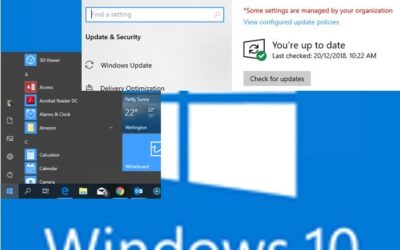
What’s with Windows updates now?
Is MY Windows 10 still the latest and most stable question? It's not a question we can easily answer. Windows 10 has two different update cycles - security/reliability updates (aka patches) and feature updates. Security updates are incredibly important. They are the...
Is it ok for the (Australian) government to read your data?
Late last year, the Australian Government introduced the Assistance and Access Act. This new legislation makes it mandatory for any organisation whose website or data is hosted in Australia to give Australian authorities access to their IT system if requested....

Don’t be fooled! FAKE problems.
Wow, some of the phishing hacks are getting smart! While we haven't seen this particular one ourselves yet, it's certainly good enough to fool most people! (so beware!) The clue is that it's emailed to you - a message like this wouldn't come as an email, and...

Cake Group Case Study – making paperless real
"Everyone talks about going paperless. But really achieving that has enabled us real-time feedback on health and safety on-site, our quality compliance has increased massively and our clients now have live access to work we are carrying out for them" - Dean Wall,...