
Password Vaults and You
With more and more websites necessary for our everyday activities, it’s getting harder and harder to manage passwords. By now, you will know not to write passwords on post-it notes and paste them on your screen. It’s not uncommon for most people to use the same username and password on a number of sites, particularly on sites we think are less important – for example, hotel websites or some news sites. However, this is a dangerous game to be playing with your information and cyber security.
The problem is that when (not if) your information gets breached, your username and password get into the hands of bad actors who poke and prod other sites on the internet, and test where else you may have used one of these passwords, or a simple variation.
Of course, this is a cyber security challenge. We cannot easily remember hundreds of passwords, especially complex ones. We need an easy way, and we have a solution. A password vault.
But then the question you will ask is, “what happens if the vault is breached?” You need a super-secure vault. Something that easily remembers, (and creates) complex passwords for you and your colleagues – personal and work – and operates on Windows, Mac, and mobiles. It needs to be SOC2 certified so you know it’s secure.
What can a password vault offer you?

- No more remembering dozens of passwords
- Faster access to websites and applications
- Centralised system for both corporate and personal passwords
- Folders to organise and categorise credentials
- Automatic generation of audits and reports to help with tracking and compliance
- Improve the cyber security you provide your colleagues by promoting a password management system you trust
- Use strong password strings to thwart hackers
- Receive a notification of all the passwords of departing employees so clients can remove their access to company systems
- Give clients the tools to granularly grant employee access to employee systems and networks
- Meet compliance measures with comprehensive auditing and reporting capabilities
- Users can access their Site credentials quickly and easily through the native mobile apps on iOS and Android®, auto-fill to log in to websites, and apps on mobile devices
- Cross-browser extension for Google, Chrome, FireFox, Edge, and Chromium-based browsers
What’s your next step?
We’ve created a simple 9-point checklist to help you navigate the cyber-risk landscape and find the right digital security solution for you.
Kinetics can offer you a KARE Password Vault as part of KARE for Security S2 plan or you can subscribe to this standalone for $20 + GST per month for 5 users
Find out more about our Cyber Security Plans here


Damn – I just “corrupted” that document
It happens to all of us. The IT geeks tell us all to save our work to the cloud (or server for those still to move), but it’s just so convenient to have it on the desktop. We all do it. It could be a spreadsheet you want to work on or a document that a client shared...

3,102 reported cyber-security incidents in NZ for first half 2020.
The numbers are staggering. We always get a few clients saying "My organisation is too small, cyber-criminals won't attack us". We can state with absolute certainty that this is a fallacy. Cyber Criminals are targeting every sized organisation Remember that not...

Is “Deathstalker” coming for you?
Cyber-Crime is big business. The criminals are organised and sophisticated. Imagine if they put their ingenuity to things that are good? But alas, that's not reality. Instead we have to brace ourselves to deal with another wave of crime. Deathstalker is a such a...
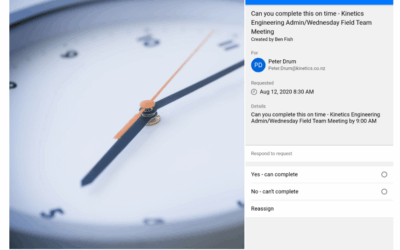
Automating our own business processes with Microsoft 365
Normally our case studies reflect work we’ve done with clients. This time we wanted to share how we’ve used our own services through lockdown to automate a key business process. One of the challenges we’ve always had is that it can be really hard to know how long a...
Privacy Act 2020 – Are you ready for Dec 1st?
Parliament recently passed the new Privacy Act, which comes into effect on 1 December 2020. This introduces stricter measures around the storing, sharing and breach of personal information and gives the Privacy Commissioner more powers. Every organisation should have...
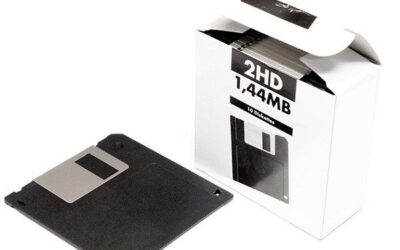
Nostalgia – Floppy Disks flying high in 2020
The old TRS-80 just turned 43 years old. It brings back memories of storing programmes on cassette tape. I still have copies of games I wrote and published on cassette many years ago. That got us thinking about whether their successor, floppy disks, were still in...
Is Cyber Security important at work? What about Working from Home (WFH)?
The best way that security can be managed when Working From Home (WFH) is to ensure the WFH devices are known to be patched, have AV, and are monitored. There is always going to be a risk if the device is not monitored as you won’t know what the patch/AV status is,...

What to do when the proverbial hits the fan?
What should you do when ‘Evil Corp’ comes to call? (Yes, that’s a real name.) By now, its well understood that hackers and cyber-criminals are busy and it’s only a matter of time before they hit you. They will keep trying and trying and whether they succeed, or...

Webinar : Protect your business from cyber attacks
Since Covid-19, there has been a surge in ransomware and cyber-attacks in New Zealand. For almost 25 years, Kinetics has specialised in providing comprehensive cyber security solutions and staff training to a broad cross section of the business community. Learn...

Drowning in eMail – survive the flood
It’s hard to believe there was once a world with eMail. Working from Home meant we couldn’t talk to colleagues as easily as we used to. Some messaging moved to tools like Teams, and that cut email traffic, but others stayed in eMail and inboxes were flooded. Do you...