
Password Vaults and You
With more and more websites necessary for our everyday activities, it’s getting harder and harder to manage passwords. By now, you will know not to write passwords on post-it notes and paste them on your screen. It’s not uncommon for most people to use the same username and password on a number of sites, particularly on sites we think are less important – for example, hotel websites or some news sites. However, this is a dangerous game to be playing with your information and cyber security.
The problem is that when (not if) your information gets breached, your username and password get into the hands of bad actors who poke and prod other sites on the internet, and test where else you may have used one of these passwords, or a simple variation.
Of course, this is a cyber security challenge. We cannot easily remember hundreds of passwords, especially complex ones. We need an easy way, and we have a solution. A password vault.
But then the question you will ask is, “what happens if the vault is breached?” You need a super-secure vault. Something that easily remembers, (and creates) complex passwords for you and your colleagues – personal and work – and operates on Windows, Mac, and mobiles. It needs to be SOC2 certified so you know it’s secure.
What can a password vault offer you?

- No more remembering dozens of passwords
- Faster access to websites and applications
- Centralised system for both corporate and personal passwords
- Folders to organise and categorise credentials
- Automatic generation of audits and reports to help with tracking and compliance
- Improve the cyber security you provide your colleagues by promoting a password management system you trust
- Use strong password strings to thwart hackers
- Receive a notification of all the passwords of departing employees so clients can remove their access to company systems
- Give clients the tools to granularly grant employee access to employee systems and networks
- Meet compliance measures with comprehensive auditing and reporting capabilities
- Users can access their Site credentials quickly and easily through the native mobile apps on iOS and Android®, auto-fill to log in to websites, and apps on mobile devices
- Cross-browser extension for Google, Chrome, FireFox, Edge, and Chromium-based browsers
What’s your next step?
We’ve created a simple 9-point checklist to help you navigate the cyber-risk landscape and find the right digital security solution for you.
Kinetics can offer you a KARE Password Vault as part of KARE for Security S2 plan or you can subscribe to this standalone for $20 + GST per month for 5 users
Find out more about our Cyber Security Plans here


40 years of the IBM PC
For our working generation, desktop computers have been a mainstay of our work life. Its a very different world to the generation before us. In fact this month marks 40 years since IBM signed two young men from a new business called 'Microsoft' to write the operating...
When imitation isn’t flattery!
According to CheckPoint, Microsoft is THE most imitated brand on the internet. We all know that criminals like to pretend to be Microsoft for their phishing attempts, and in the last quarter, misuse of the Microsoft brand for this jumped dramatically – 19% of all...

Webinar: is your IT Partner missing the point?
Most IT support partners miss the most important task of all. ie what does it really take to be a valued IT Partner All IT partners will talk to you about tickets, capacity planning and life cycle replacements, cloud migrations and cyber security. But that’s...
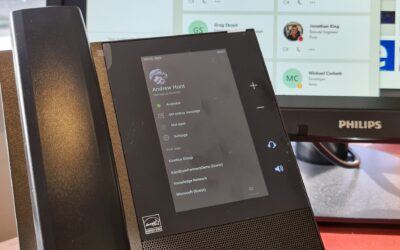
Plucking the low-hanging fruit!
We recently moved our phones to Microsoft Teams. It’s an increasingly common configuration and means we have a single programme for our real-time collaboration. Less is more! There’s nothing like a project that removes infrastructure and risk. We have less to...

What is Double Key Encryption and why should you care?
Double Key Encryption (DKE) is coming soon to Microsoft 365 (E5 plans required) Like the name suggests, this is even MORE secure than the levels of encryption previously seen. Microsoft are saying that you need it if: You want to ensure that only you can ever decrypt...
Our FIVE favourite new features in Teams – which ones did you know about?
Its hard to imagine working through the lockdown without fast fibre internet connections and tools like Microsoft Teams. There is nothing like an imperative to help us drive change and we have seen that with Teams evolving rapidly to meet market needs. Here are our...
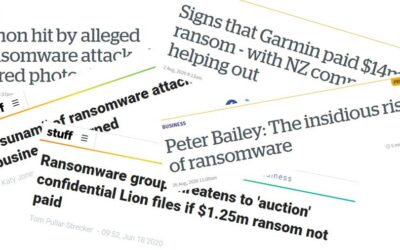
How does a ransomware attack start?
When you read about the ransomware attacks, such as those on Honda, Garmin, Toll, Fisher and Paykel and Lion, it’s easy to think these attacks only target large enterprises. Unfortunately, that would be a mistaken view. The reality is that all businesses are under...
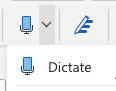
Have you noticed the dictate button in your Microsoft Office toolbar?
"Dictate" is relatively recent addition to Office that allows you to dictate directly in Word. Coming shortly will be a new Transcribe feature which allows you upload an audio file, and Office will turn that directly into text. The transcription is saved into your...
Webinar : Why are businesses adopting eLearning for IT Skills even during the COVID recovery?
Even when many businesses are cutting back on costs, they continue to invest in IT skills because they: Need to get more from their teams, particularly as roles change to meet new demands Need to keep training costs down Need to show staff they are supported and...
International eSecurity Compliance
It feels it's like a daily occurrence for one of our clients to be asking for assistance with a security compliance questionnaire from their client. Most of these are being driven by corporates with international footprints. This becomes complex as each jurisdiction...