
Password Vaults and You
With more and more websites necessary for our everyday activities, it’s getting harder and harder to manage passwords. By now, you will know not to write passwords on post-it notes and paste them on your screen. It’s not uncommon for most people to use the same username and password on a number of sites, particularly on sites we think are less important – for example, hotel websites or some news sites. However, this is a dangerous game to be playing with your information and cyber security.
The problem is that when (not if) your information gets breached, your username and password get into the hands of bad actors who poke and prod other sites on the internet, and test where else you may have used one of these passwords, or a simple variation.
Of course, this is a cyber security challenge. We cannot easily remember hundreds of passwords, especially complex ones. We need an easy way, and we have a solution. A password vault.
But then the question you will ask is, “what happens if the vault is breached?” You need a super-secure vault. Something that easily remembers, (and creates) complex passwords for you and your colleagues – personal and work – and operates on Windows, Mac, and mobiles. It needs to be SOC2 certified so you know it’s secure.
What can a password vault offer you?

- No more remembering dozens of passwords
- Faster access to websites and applications
- Centralised system for both corporate and personal passwords
- Folders to organise and categorise credentials
- Automatic generation of audits and reports to help with tracking and compliance
- Improve the cyber security you provide your colleagues by promoting a password management system you trust
- Use strong password strings to thwart hackers
- Receive a notification of all the passwords of departing employees so clients can remove their access to company systems
- Give clients the tools to granularly grant employee access to employee systems and networks
- Meet compliance measures with comprehensive auditing and reporting capabilities
- Users can access their Site credentials quickly and easily through the native mobile apps on iOS and Android®, auto-fill to log in to websites, and apps on mobile devices
- Cross-browser extension for Google, Chrome, FireFox, Edge, and Chromium-based browsers
What’s your next step?
We’ve created a simple 9-point checklist to help you navigate the cyber-risk landscape and find the right digital security solution for you.
Kinetics can offer you a KARE Password Vault as part of KARE for Security S2 plan or you can subscribe to this standalone for $20 + GST per month for 5 users
Find out more about our Cyber Security Plans here


Another drawing pen app from Microsoft and why you should use OneNote and Whiteboard
Collaborate more efficiently Microsoft Garage is their ‘skunk works’ programme to encourage employees to do things they care about. Small teams run their own ideas and trial them – a bit of an ongoing Hackathon. Many of these ideas go on to become part of Microsoft...

Bursting the bubble – what to think about before crossing the ditch?
With the Australian travel bubble opening up, many people are starting to think about heading across to see family, friends or business partners. The government has been very clear about their traffic lights, and a “flyer beware” stance, so we’ve got to be a little cautious and plan ahead. You might be planning to head across for just a day or two, but its prudent to be prepared for a longer stay.

FVLB – Migration to Azure Cloud Services
Overview The Film and Video Labelling Body (FVLB) is a not for profit organisation that is responsible for rating films that are made available to the public. The Labelling Body: Rates unrestricted films Cross-rates unrestricted films that have been rated in...
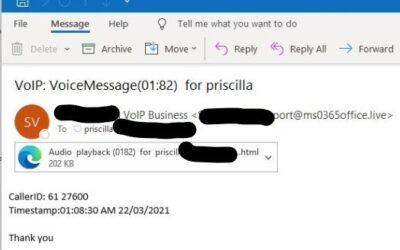
Don’t click!
We're seeing this phishing attack over and over this week. Your first clue that something is wrong is it doesn't look like voicemail emails you might typically receive. Unless you have a brand new voicemail/phone system these shouldn't change format! The second clue...

Zero-Trust IT Security
'Zero-Trust' is a tough headline. Zero-trust in a world where we trust people all the time is an unpleasant concept. We trust that when we order a package online, that the vendor will take our order and not just our money, that our product will be passed to a courier...
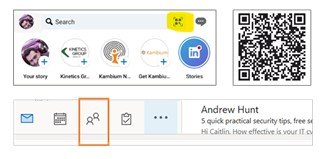
We are who we know
Managing contacts has become more important than ever. Here’s a few tips on how to make use of smart tools built into Outlook: 1. Rather than exchange business cards (so last century)... Share your contact details using Linked In – just hit the box on the right of the...
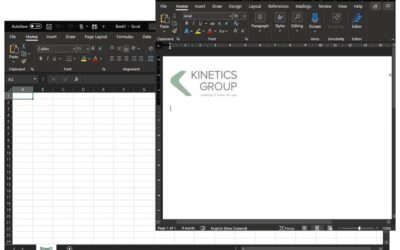
What is “Dark Mode”? Why should you consider it?
With all our warnings about cyber-hackers, you’d be forgiven for thinking this was another hazard. But no! Dark Mode is a good thing! You can activate it on Windows 10 by going to Settings – Personalization – Colors and picking Dark. Most phones also offer the same...

What does IT mean to you?
Who do you call when you need to : update your IT usage or data privacy policies manage your internal IT staff? select new business software, e.g. CRM or financial software? accelerate a process or break a business processing log-jam? Traditionally businesses think of...
5 simple steps to stay cloud-cyber-secure
We’ve posted repeatedly about cyber-security and the need to be more vigilant and more careful, and we’ve shared real-world stories to reinforce the concern. It’s a concern then that we still see a number of organisations that remain reluctant to increase their...

What are we about?
"Who" is sometimes just as important as "what"? As a client, you know what we do. But we thought you might want to know more about "who we are". By that we mean, "what are we about". When you boil it down, the Kinetics mission is to help our communities. That is...