
Password Vaults and You
With more and more websites necessary for our everyday activities, it’s getting harder and harder to manage passwords. By now, you will know not to write passwords on post-it notes and paste them on your screen. It’s not uncommon for most people to use the same username and password on a number of sites, particularly on sites we think are less important – for example, hotel websites or some news sites. However, this is a dangerous game to be playing with your information and cyber security.
The problem is that when (not if) your information gets breached, your username and password get into the hands of bad actors who poke and prod other sites on the internet, and test where else you may have used one of these passwords, or a simple variation.
Of course, this is a cyber security challenge. We cannot easily remember hundreds of passwords, especially complex ones. We need an easy way, and we have a solution. A password vault.
But then the question you will ask is, “what happens if the vault is breached?” You need a super-secure vault. Something that easily remembers, (and creates) complex passwords for you and your colleagues – personal and work – and operates on Windows, Mac, and mobiles. It needs to be SOC2 certified so you know it’s secure.
What can a password vault offer you?

- No more remembering dozens of passwords
- Faster access to websites and applications
- Centralised system for both corporate and personal passwords
- Folders to organise and categorise credentials
- Automatic generation of audits and reports to help with tracking and compliance
- Improve the cyber security you provide your colleagues by promoting a password management system you trust
- Use strong password strings to thwart hackers
- Receive a notification of all the passwords of departing employees so clients can remove their access to company systems
- Give clients the tools to granularly grant employee access to employee systems and networks
- Meet compliance measures with comprehensive auditing and reporting capabilities
- Users can access their Site credentials quickly and easily through the native mobile apps on iOS and Android®, auto-fill to log in to websites, and apps on mobile devices
- Cross-browser extension for Google, Chrome, FireFox, Edge, and Chromium-based browsers
What’s your next step?
We’ve created a simple 9-point checklist to help you navigate the cyber-risk landscape and find the right digital security solution for you.
Kinetics can offer you a KARE Password Vault as part of KARE for Security S2 plan or you can subscribe to this standalone for $20 + GST per month for 5 users
Find out more about our Cyber Security Plans here


Security Training and Awareness offer
We are deploying some new tools for our KARE for Security clients. For a limited time we can share these with all our clients to give you and your colleagues some great e-security awareness training. The holiday season is targeted by scammers, they know that employees...
Zero-Trust Networking for real business?
Zero-trust sounds extreme Humans like to trust. We trust everyday as we drive down the street that the people coming the other way will stay in their lane. We trust that the restaurants we visit prepare our food properly and hygienically. We trust that our doctor...
Fact or Fiction? My files are in the cloud, I don’t need to worry about security any more!
If only life were so simple! We have some clients that ask us about file security in the cloud as if the answer is an absolute. Of course it isn't. The cloud is more secure than an on-premise system Assuming we’re talking about a reputable mainstream cloud, the...
Are your back ups keeping up?
Why do we need offsite, air-gapped backups? About ten years ago the age of the tape ended. USB 3 was the nail in the coffin for tapes. Finally we had something that was just as fast, but supported random access. At about the same time, we moved from data backups, to...

Deepscan Antivirus and AntiMalware
We've warned before about vulnerabilities like Spectre and Meltdown. The basic precautions are to keep your Windows, Office and other software completely up to date, and of course keeping your anti-virus current. That’s going to stop most things but lately we’ve seen...

One charging cable to rule them all?
How many old phone chargers do you have tucked away at the back of cupboards? It is such a waste of resources to have all those plastic and metal boxes that you don’t want to throw way, but can’t be sure you will ever use again. Just to make things slightly worse,...

Helping you with Cyber Insurance Audit Forms
Cyber Security Audits are increasingly common. One cause is that we're seeing more boards ask about cyber security posture, and frankly every board needs to be asking about that. The other major prompt we see is when our clients are applying for cyber security...

The 5 questions you will asking about Windows 11
1. What is it? We’ve mentioned before that Microsoft had stated that Windows 10 would be the last version of Windows and it would simply keep being updated. That’s played out well over the last many years, but now we do have a new version – Windows 11. New Windows 11...

Don’t be in the 67,500
It might be our nearest neighbour, rather than us, but its still a good indicator of the trends that we're also seeing in New Zealand. We have to remember that much cyber-crime is still not reported. Whether it's out of embarrassment or commercial sensitivity, we...
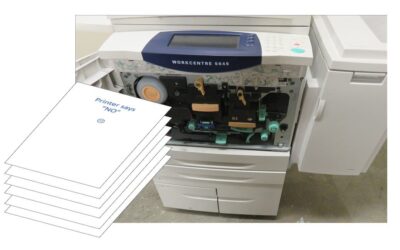
Print NIGHTMARE
If you suddenly can't print at work, it might NOT be you! It could be the "PrintNightmare" problem For months Microsoft has been battling to release a reliable update for a problem called “PrintNightmare” that’s been happening since Microsoft released an...