
Password Vaults and You
With more and more websites necessary for our everyday activities, it’s getting harder and harder to manage passwords. By now, you will know not to write passwords on post-it notes and paste them on your screen. It’s not uncommon for most people to use the same username and password on a number of sites, particularly on sites we think are less important – for example, hotel websites or some news sites. However, this is a dangerous game to be playing with your information and cyber security.
The problem is that when (not if) your information gets breached, your username and password get into the hands of bad actors who poke and prod other sites on the internet, and test where else you may have used one of these passwords, or a simple variation.
Of course, this is a cyber security challenge. We cannot easily remember hundreds of passwords, especially complex ones. We need an easy way, and we have a solution. A password vault.
But then the question you will ask is, “what happens if the vault is breached?” You need a super-secure vault. Something that easily remembers, (and creates) complex passwords for you and your colleagues – personal and work – and operates on Windows, Mac, and mobiles. It needs to be SOC2 certified so you know it’s secure.
What can a password vault offer you?

- No more remembering dozens of passwords
- Faster access to websites and applications
- Centralised system for both corporate and personal passwords
- Folders to organise and categorise credentials
- Automatic generation of audits and reports to help with tracking and compliance
- Improve the cyber security you provide your colleagues by promoting a password management system you trust
- Use strong password strings to thwart hackers
- Receive a notification of all the passwords of departing employees so clients can remove their access to company systems
- Give clients the tools to granularly grant employee access to employee systems and networks
- Meet compliance measures with comprehensive auditing and reporting capabilities
- Users can access their Site credentials quickly and easily through the native mobile apps on iOS and Android®, auto-fill to log in to websites, and apps on mobile devices
- Cross-browser extension for Google, Chrome, FireFox, Edge, and Chromium-based browsers
What’s your next step?
We’ve created a simple 9-point checklist to help you navigate the cyber-risk landscape and find the right digital security solution for you.
Kinetics can offer you a KARE Password Vault as part of KARE for Security S2 plan or you can subscribe to this standalone for $20 + GST per month for 5 users
Find out more about our Cyber Security Plans here



What would you do?
Imagine – you are busily going about your day when suddenly your meeting is interrupted. “No one can access their files!!!” or “We just accidently paid $50,000 to a fraudulent account and we can’t get it reversed!!!” or something similar. What would you do? Where...
Security Updates
We need to make some security changes. These are in accordance with the continued work by Microsoft to protect 365 users. This will keep your configuration current with their latest advisories but may have some (limited) impact on your IT experience. It is all about...

Is your business ready for AI?
A.I. is here. It is appearing in tools we use everyday. Unpack the key strategies to ensure your business is prepared for the integration of Artificial Intelligence (AI), with an emphasis on managing culture, adhering to regulatory compliance, and selecting the right...
Layered Security Works
There is no silver bullet in cyber-security. Best practice requires layers of protection. One of those layers is ‘geo-blocking’, which means you can only log in from specified countries and overcomes many of the African and Eastern European hacker fraternities....
What’s new in 365 (as at November 2023?)
Coming next month Face recognition is coming to Teams. Teams will be able to identify you when you participate in a meeting, even when you are in a Teams Rooms (ie in a physical meeting room with other people)Coming to Microsoft 365 any day now ...Offline access...
Webinar Replay – Practical AI – What can you expect from Microsoft 365 and Copilot?
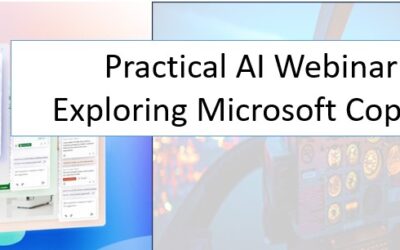
Practical AI - What can you expect from Microsoft 365 and Copilot? What's the hype and is it real? What can you expect? Will it help you?There is more to AI than ChatGPT! Microsoft announced Copilot back in March and it is finally coming to Microsoft 365 in NZ Join...
Look out for LinkedIn Smart Links
This is a great example of needing new tools that didn't used to exist, to keep cyber-safe, even if they add cost to our cyber-protection. Hijacking your trust in LinkedIn Cybersecurity firm Cofense have detected phishing campaigns that used LinkedIn links called...
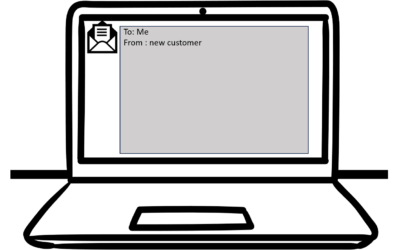
Would your cyber-security have saved you from this hack attempt?
This is a real and very clever 'spear-phishing' attempt that one of our legal clients in Auckland received today.Would you have opened it? Would your IT have protected you?To: Me From : new customer Hello, My Husband and I are looking to buy a property (First-time...

Is it really you?
News that an elderly woman was tricked out of $100,000 over Facebook won't be a surprise to regular readers. She was fooled into thinking she was talking to a friend, and then sending money to access some make-believe Covid fund. AI makes it easy to speak in...

Which of these Windows shortcuts do you know?
Keyboard shortcuts are a powerful way to boost your productivity and efficiency when using Windows 10 and Windows 11. These shortcuts help you navigate your operating system, open applications, manage files, and perform various tasks with ease. Whether you're a novice...