
Password Vaults and You
With more and more websites necessary for our everyday activities, it’s getting harder and harder to manage passwords. By now, you will know not to write passwords on post-it notes and paste them on your screen. It’s not uncommon for most people to use the same username and password on a number of sites, particularly on sites we think are less important – for example, hotel websites or some news sites. However, this is a dangerous game to be playing with your information and cyber security.
The problem is that when (not if) your information gets breached, your username and password get into the hands of bad actors who poke and prod other sites on the internet, and test where else you may have used one of these passwords, or a simple variation.
Of course, this is a cyber security challenge. We cannot easily remember hundreds of passwords, especially complex ones. We need an easy way, and we have a solution. A password vault.
But then the question you will ask is, “what happens if the vault is breached?” You need a super-secure vault. Something that easily remembers, (and creates) complex passwords for you and your colleagues – personal and work – and operates on Windows, Mac, and mobiles. It needs to be SOC2 certified so you know it’s secure.
What can a password vault offer you?

- No more remembering dozens of passwords
- Faster access to websites and applications
- Centralised system for both corporate and personal passwords
- Folders to organise and categorise credentials
- Automatic generation of audits and reports to help with tracking and compliance
- Improve the cyber security you provide your colleagues by promoting a password management system you trust
- Use strong password strings to thwart hackers
- Receive a notification of all the passwords of departing employees so clients can remove their access to company systems
- Give clients the tools to granularly grant employee access to employee systems and networks
- Meet compliance measures with comprehensive auditing and reporting capabilities
- Users can access their Site credentials quickly and easily through the native mobile apps on iOS and Android®, auto-fill to log in to websites, and apps on mobile devices
- Cross-browser extension for Google, Chrome, FireFox, Edge, and Chromium-based browsers
What’s your next step?
We’ve created a simple 9-point checklist to help you navigate the cyber-risk landscape and find the right digital security solution for you.
Kinetics can offer you a KARE Password Vault as part of KARE for Security S2 plan or you can subscribe to this standalone for $20 + GST per month for 5 users
Find out more about our Cyber Security Plans here


Empower your non-profit with the latest Microsoft Technology, including Co-Pilot (Christchurch)
Empower your non-profit with the latest Microsoft TechnologyThis in-person Masterclass will highlight Microsoft's "Tech for Social Impact" initiative that aims to accelerate digital transformation across the Not-for-Profit/For-Purpose sector globally, so they can have...
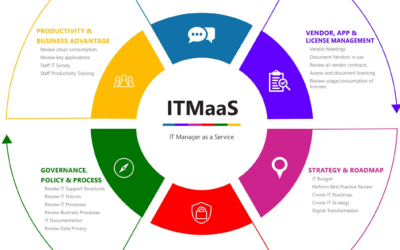
Fractional CIO, vCIO, ITMaaS – what’s the difference?
Kinetics has been providing IT strategy advice and leadership to a number of clients for many years now. We have found that there are a number of organisations who are mature enough to realise they require a more strategic approach to technology, however they cannot...
Service Alert
We're experiencing an extra heavy call volume today and it's proving challenging to respond as quickly as normal. It's been brought on by an apparent Microsoft change resulting in unexpected Windows 11 upgrades. These are happening to a number of devices even if...
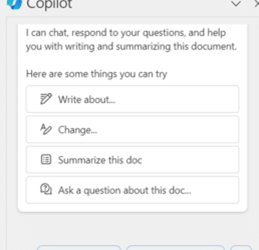
Copilot is here!
We’ve been talking about Copilot for a while now and it's finally available, for business users and personal/family! You can try a slightly clunky version for free. Just click on the Copilot link and you can ask questions, and create content to copy into Word or...
Keeping up with Microsoft 365 and Office
Microsoft have added a stack of new capabilities to Office in just the last six months. Because they just appear, it's easy to miss them, and some of these new features are really useful. How many of these new Office features did you know about? 1. Insert Pictures in...

AI Introduction: Free Self-Paced Learning
We've been exploring AI for a while now. Regular readers have shared the journey with us to uncover practical AI for everyday use. AI isn't science fiction. We've been seeing it for a while now and now Microsoft (and others) have made it mainstream. AI's been in...
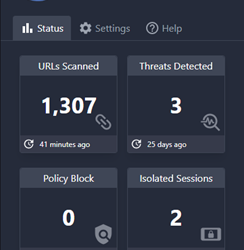
Breaking news: New protections added to Kinetics KARE Foundation
We have big news for Kinetics customers on our “KARE Foundation” cyber plan. We've added new Browser Cyber-Protection We’ve found an amazing new security tool called ‘Conceal' that provides even more added protection. Cyber-security is all about layers and this one...

Preview: Microsoft Copilot AI
Practical AI - What can you expect from Microsoft 365 and Copilot? What's the hype and is it real? What can you expect? Will it help you?Preview Copilot AI Our colleague Ben Fish has taken a closer look at Copilot. Check what he has to say!

Christmas Hours and Seasonal Cyber-Warning
Thank you! Thanks to our wonderful clients, staff and partners for your support in this most difficult 2023 year. Its been a real challenge for so many of us in so many ways, and a real test of resilience. For those businesses that have been devastated by this year,...

Penetration Testing
Penetration testing is important for businesses because it helps them identify and fix security vulnerabilities before they can be exploited by attackers. It can be a significant job as it needs a team of security professionals to simulate a real-world cyberattack....