
Password Vaults and You
With more and more websites necessary for our everyday activities, it’s getting harder and harder to manage passwords. By now, you will know not to write passwords on post-it notes and paste them on your screen. It’s not uncommon for most people to use the same username and password on a number of sites, particularly on sites we think are less important – for example, hotel websites or some news sites. However, this is a dangerous game to be playing with your information and cyber security.
The problem is that when (not if) your information gets breached, your username and password get into the hands of bad actors who poke and prod other sites on the internet, and test where else you may have used one of these passwords, or a simple variation.
Of course, this is a cyber security challenge. We cannot easily remember hundreds of passwords, especially complex ones. We need an easy way, and we have a solution. A password vault.
But then the question you will ask is, “what happens if the vault is breached?” You need a super-secure vault. Something that easily remembers, (and creates) complex passwords for you and your colleagues – personal and work – and operates on Windows, Mac, and mobiles. It needs to be SOC2 certified so you know it’s secure.
What can a password vault offer you?

- No more remembering dozens of passwords
- Faster access to websites and applications
- Centralised system for both corporate and personal passwords
- Folders to organise and categorise credentials
- Automatic generation of audits and reports to help with tracking and compliance
- Improve the cyber security you provide your colleagues by promoting a password management system you trust
- Use strong password strings to thwart hackers
- Receive a notification of all the passwords of departing employees so clients can remove their access to company systems
- Give clients the tools to granularly grant employee access to employee systems and networks
- Meet compliance measures with comprehensive auditing and reporting capabilities
- Users can access their Site credentials quickly and easily through the native mobile apps on iOS and Android®, auto-fill to log in to websites, and apps on mobile devices
- Cross-browser extension for Google, Chrome, FireFox, Edge, and Chromium-based browsers
What’s your next step?
We’ve created a simple 9-point checklist to help you navigate the cyber-risk landscape and find the right digital security solution for you.
Kinetics can offer you a KARE Password Vault as part of KARE for Security S2 plan or you can subscribe to this standalone for $20 + GST per month for 5 users
Find out more about our Cyber Security Plans here



AI’s big stories over summer
A month is a long time in the world of AI, so we thought we’d share some of the AI news highlights. Deepseek The big highlight has to be the emergence of Deepseek. Whether it builds on OpenAi and others, or whether it is entirely new is being wrangled over, but the...

Where do you think AI will take us in 2025? Do your picks match ours?
Artificial Intelligence has been the IT and business topic of 2024. “What’s next, how can we use it, should we be afraid of it” have been the big questions. Now we’re in a new year, and what are the new trends we need to ready for?

TEN things the government says you need to know about your cyber-security defence
Regular readers will be a little tired of hearing us talk about cyber-risk and the threat of hackers. You'll forgive us a little because we see the impact when events happen, and we spend our days protecting our clients to keep them safe. But we're just a tiny cog...
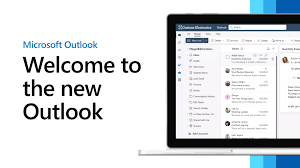
Not loving the new Outlook?
Microsoft have been pushing out a new version of Outlook for a while now. You’ve seen the toggle offering the chance to trial it. It seems to be an acquired taste and we’ve seen a few people revert to the old ‘classic’ version. Microsoft have been encouraging us to...

What do Microsoft’s Upcoming 2025 Security Enhancements for Windows mean for you?
In response to the significant CrowdStrike meltdown last summer, which exposed some critical vulnerabilities in the Windows platform, Microsoft is set to introduce a series of further security updates in 2025. The meltdown, caused by a flawed update, led to widespread...

Webinar Replay: Practical AI – Turning your 365 data into a Copilot AI resource
Webinar - Practical AI - Turning your 365 data into a Copilot AI resource Harness the power of your data to achieve effective AI outcomes.Webinar Recap: Introduction: Scott Fennell welcomed attendees and introduced the webinar's focus on Microsoft Copilot and AI...

The End of an Era: Windows 10 Support is Ending – What You Need to Know.
October 14, 2025 marks the end of support for Windows 10. That’s a bit of a milestone. Windows 10 has been a reliable companion on our PCs at home and work for years. However, as with all good things, this era is coming to an end. So, what does this mean for you if...

Is your MS Teams vulnerable to this new hacker threat?
It has taken a while, but hackers have now figured out that they can target users via Teams chat. There are legitimate reasons to chat with external parties, but, as with all forms of digital communication, you need to be alert.CyberThreat Summary Researchers at...

Why most business IT projects fail – Don’t miss this crucial step.
There is one IT project factor that is overlooked all too often and it is costing businesses more than they realise. Implementing AI tools like Microsoft’s 365 Copilot might seem like a quick win for improving productivity, but without effective change management,...

The Implications of Using ChatGPT (free gen-AI tools): An instructive Case Study from Australia
Recent news from Australia In a recent investigation, the privacy regulator in the state of Victoria has imposed a ban on the use of ChatGPT within a government department. This case highlights the dual nature of Generative AI (GenAI) tools, which offer significant...